Estimated reading time: 7 minutes
Key Takeaways
- Most preschools already digitized their tasks. The workload stayed because the tools do not share one record.
- A digital record is not a connected operation, and a single feature is not a workflow.
- Turn a task into a workflow in four moves: define it end to end, centralize its record, automate the right steps, and keep the flow visible.
- Preschool management software helps most when management, admissions, administration, communication, automation, and reporting all read and write the same record.
You bought preschool management software for one job, or you stitched together an attendance app, a fee spreadsheet, and a WhatsApp list, and Monday still starts the same way: you re-type the same child’s details into three places. The tools moved onto screens. The workload did not fall.
That is the part most guides skip. Going digital and connecting an operation are two different jobs, and most schools only did the first one.
So here is the position this post argues. A digital record is not a connected operation, and a single software feature is not a workflow. Digitizing a task just moves manual effort onto a screen. The load only drops when information flows automatically between the functions that touch that task. The real question is not “should we go digital.” You already did. It is “should we connect what we digitized.”
We will cover why manual processes stop scaling as you grow, how to turn one task into a connected workflow, a plain test for spotting tasks that are digitized but not connected, and where preschool management software actually fits across the whole operation.
Read More: From Admissions to Administration: Building a Connected Preschool Operations System
Why Manual Preschool Administration Stops Scaling as You Grow
Start with the mechanics. As enrollment grows, the same small task repeats dozens of times a day:
- Log attendance.
- Record a payment.
- Answer the same parent question.
- Update one child’s record in the places that each keep their own copy.
One branch with a spreadsheet is survivable. Three branches, or one branch that keeps growing, means the same keystroke happens hundreds of times a week. Every repetition is another chance to mistype. This is the exact work that preschool administrative automation is meant to remove, and it is the work most schools never actually connected.
Then there is the person who holds the process in their head. Many preschool routines are undocumented. They live in one administrator’s memory: which parent pays late, how the term-end promotion runs, where the enrollment forms get filed. When that person goes on leave or resigns, the routine stalls. A systematic review of 91 studies found that when experienced staff leave, the loss of knowledge that lives in one person’s head does more damage than losing written records, hurting daily routines, memory, and output. A preschool management system that does not depend on one person’s memory is not a luxury. It is the point of preschool automation.
Next, the same task gets re-entered across tools. The enrollment form, the fee ledger, and the attendance app each hold a private copy of the child. An update in one is not an update in the others. So someone reconciles them by hand, usually on a Friday afternoon.
And the spreadsheet, the default “we digitized it” tool, is not the safety net it looks like. Research led by Prof. Pak-Lok Poon, reported in 2024, found that the large majority of business spreadsheets contain critical errors. Those errors pile up undetected. That is why a spreadsheet fails as a reliable system of record. We will come back to that finding.
Put these together and you can see why “we already went digital” did not lighten the week. Digitizing a task without connecting it just moved the manual effort onto a screen.
Turning Individual Tasks Into Connected, Automated Workflows
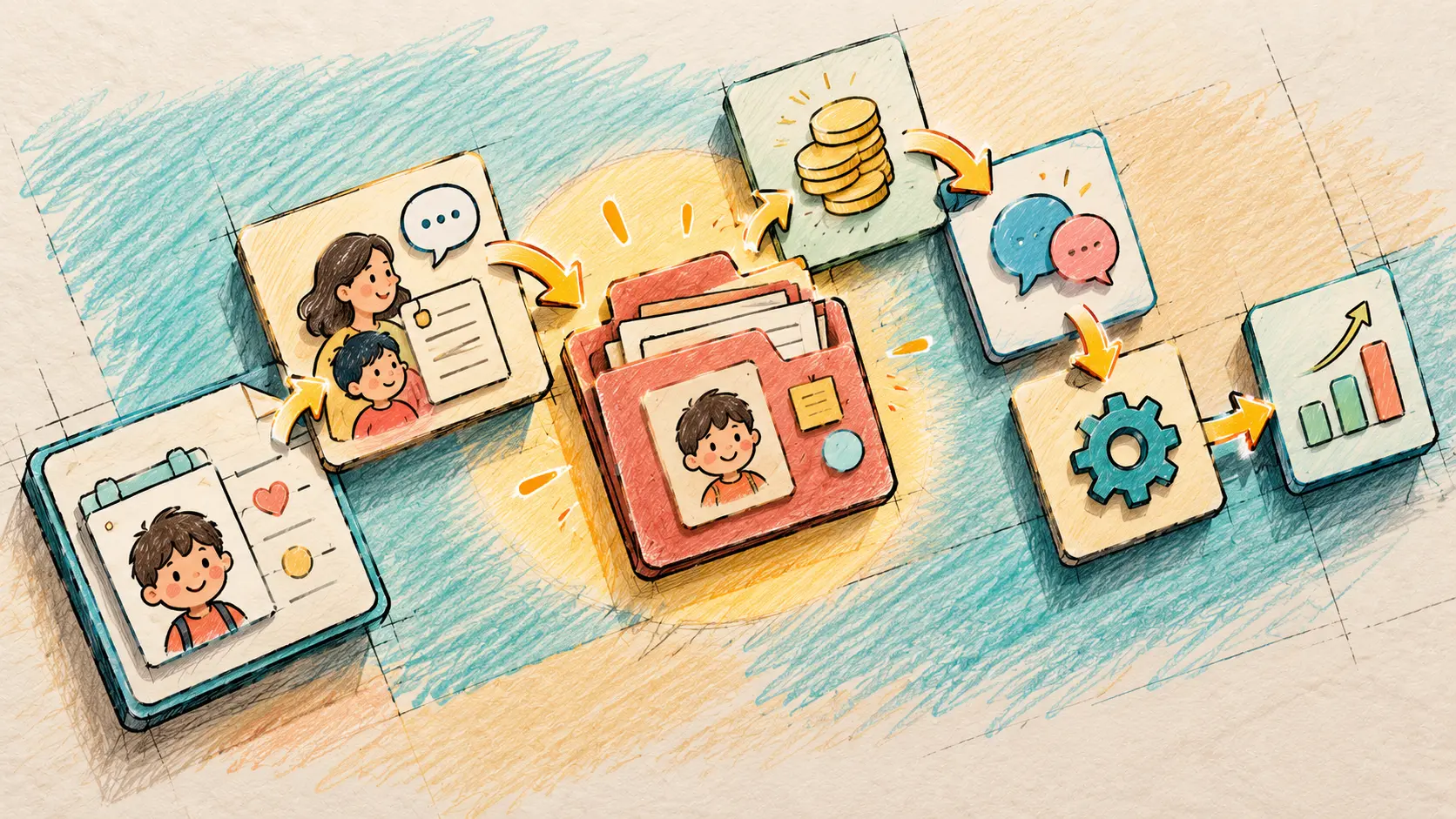
A workflow is not a task with software bolted on. It is the full path a piece of information travels, from the moment something triggers it to the moment it reaches a finished state. Preschool automated workflows are the goal here, and there is a concrete way to build one. Four moves.
Define the workflow before you automate it
Name what triggers it: a new enrollment. Name who acts: front desk, then accounts. Name what “done” looks like: the child is enrolled, the fee schedule is created, the welcome message is sent, and the teacher can see the new record.
This step is not optional. Technology dropped on top of an undefined process tends to underperform. The research is clear that you should define the process before you buy the tool, because a well-defined business process paired with organizational alignment is what makes a technology initiative succeed. Automating a mess just gives you a faster mess.
Centralize the record the workflow depends on
Every function that touches the enrollment should read and write the same record, not a private copy. One shared record means a fact entered once is true everywhere. Nobody reconciles, because there is nothing to reconcile.
Read More: Why Preschool Administration Becomes Complex When Every Process Runs Separately
Automate the appropriate steps, not every step
Automate the deterministic, rule-based steps: creating the fee schedule from the enrollment, sending a reminder when a due date passes, moving a child up a level at term end. Leave the judgment steps to people. That is preschool workflow automation used with restraint, not automation for its own sake. The test for a step is simple. If the rule is fixed and repeatable, a machine should run it.
Keep the whole flow visible so no handoff disappears
Visibility means every role can see where a case is and what is still outstanding. This is not a nice-to-have. Brynjolfsson, Hitt and Kim found in 2011 that firms that could see and act on their data showed output and productivity roughly 5 to 6 percent higher than their other technology spending would predict. Value comes from acting on information, not from merely holding it.
Once these four moves are in place, preschool automated workflows do the quiet work. They remove handoffs, cut re-keying, and make the process run the same way no matter who is on shift. That last part is the real prize. Consistency stops depending on the roster.
The Difference Between Digitizing a Task and Connecting a Workflow
Here is the distinction this whole post turns on, stated plainly: a digital record is not a connected operation, and a single software feature is not a complete workflow. Digital preschool management that stops at digitizing individual tasks just relocates the manual work. It does not remove it.
A digital form is still a manual handoff if nothing reads it
Walk one example end to end. A parent fills in your online admission form. That data is digital. Then someone copies it into the fee system and types it again into the attendance app. The form is digitized. The workflow is not connected. The screen changed. The handoff did not.
A single feature is not a workflow
An attendance feature that does not feed fee status, parent messaging, or teacher rosters is one screen, not a flow. It records who is present and stops there. Value appears only when that information moves automatically to the functions that need it. A feature answers one question. A workflow carries the answer to everyone downstream.
Structured admin data is exactly where connection pays
This is where automation earns its place. In a controlled comparison, single manual entry of highly structured forms produced roughly eight times more errors than automated forms processing or double manual entry. The gap was 0.370 versus 0.046 errors per 1,000 fields. The authors called automation a valid alternative to manual keying of structured forms in their 2012 study. One honest caveat: the advantage held for structured, repetitive, checkbox and numeric forms, and automation did worse on freehand handwriting. Preschool admin data is the structured kind. Names, dates, fees, attendance marks. Exactly where connection pays.
The spreadsheet test
Return to the spreadsheet, the classic digitized-but-not-connected tool. It looks like a system of record. It is not. Spreadsheets quietly accumulate errors, which is why research reported in 2024 found the large majority of business spreadsheets carry critical ones. A preschool management system built on a shared, validated record does not have that problem baked in.
So the question to ask of any tool you already use is not “is this digital.” It is “does anything downstream update on its own when I change this.” If the answer is no, you digitized a task without connecting a workflow.
Where Preschool Management Software Fits Across the Whole Operation
Now look at the product category the right way. The value of preschool management software is not in the length of its feature list. It is in connected functions that share one record. Here is what each function does, and what it reads and writes to that shared record.
- Management. The shared record of children, classes, and staff that every other function reads.
- CRM and admissions. An enquiry becomes an enrollment that flows into records and fees without re-keying.
- Administration. Fees, allocation, and documents update off the same record. This is where preschool administration software stops being a separate ledger you copy into.
- Communication. Parent messages fire off real events, a payment due or an absence, instead of a hand-typed broadcast.
- Automation. The rule-based steps between functions run themselves once the flow is defined.
- Reporting. Visibility across the whole operation, because every function wrote to one place. Reporting is a connected function, not a bolt-on.
The shared record is the whole game. Scattered, re-keyed data across disconnected tools carries a real cost. Gartner estimates poor data quality costs organizations an average of 12.9 million dollars a year, reported via DATAVERSITY in 2024. That is a general cross-industry figure, not a preschool number, and no preschool spends anything like it. The point is the direction, not the amount. Many private copies cost more to run than one shared record.
Read More: Why Preschool Admissions Need More Than an Enquiry Management System
A 90-second self-check: is this task digitized, or connected?
Ask three questions about your own school.
- Do you enter the same fact, a child’s name, a fee, an absence, into more than one tool?
- Do you spend time reconciling two tools that should already agree?
- Do you chase an update across apps or chat threads to find the current version?
Yes to any one of them means that task is digitized but not connected.
If that describes your week, the fix is usually not another tool. Another tool adds another private copy and another seam to reconcile. The fix is consolidating onto one connected, all-in-one preschool management platform where management, admissions, administration, communication, automation, and reporting share a single record. Run one piece of preschool operations software instead of six disconnected ones, and the re-keying that fills your Fridays stops having a place to happen. If you want to see how those functions connect in practice, that is the conversation worth having with BubbleBud Kids.
FAQ
No. Digitizing puts a task on a screen. Automating connects it, so the downstream steps update on their own. A digital form that someone still copies into the fee system is digitized, not automated. Real preschool workflow automation removes that copy step entirely.
Because separate apps keep separate copies, so you reconcile and re-key between them. One all-in-one preschool management platform keeps a single shared record. An update in one place is an update everywhere, which is the reconciling work you never have to do again.
Start with the deterministic, repetitive steps inside a workflow you have already defined end to end, like creating a fee schedule from an enrollment or sending a reminder when a due date passes. Automating a process you have not defined just speeds up the mess.
Related posts
- October 30, 2026
- 12:44 pm
All-in-One Preschool Management Software vs Multiple Apps: Which Setup Fits a Growing School?

- October 21, 2026
- 3:11 pm
How Much Does Preschool Management Software Cost? A Practical Guide for School Owners

- October 19, 2026
- 10:01 am
