Estimated reading time: 8 minutes
Key Takeaways
- Building a robust preschool digital infrastructure is the cornerstone of a tech-ready environment.
- Careful budget planning helps optimize spending and maximize resources.
- Reliable internet, secure data protection, and technical support are essential to maintain trust and smooth operations.
- Selecting age-appropriate devices significantly enhances learning experiences.
- Evaluating ROI from educational and operational perspectives ensures sustainable success.
Table of contents
- Introduction: Need for Tech Readiness in Modern Preschools
- Assessing Infrastructure Requirements
- Choosing the Right Devices
- Connectivity & Compatibility
- Classroom Layout Considerations
- Budget Planning
- Vendor Evaluation
- ROI Analysis
- Common Mistakes to Avoid
- Conclusion
- FAQ
Introduction: Need for Tech Readiness in Modern Preschools
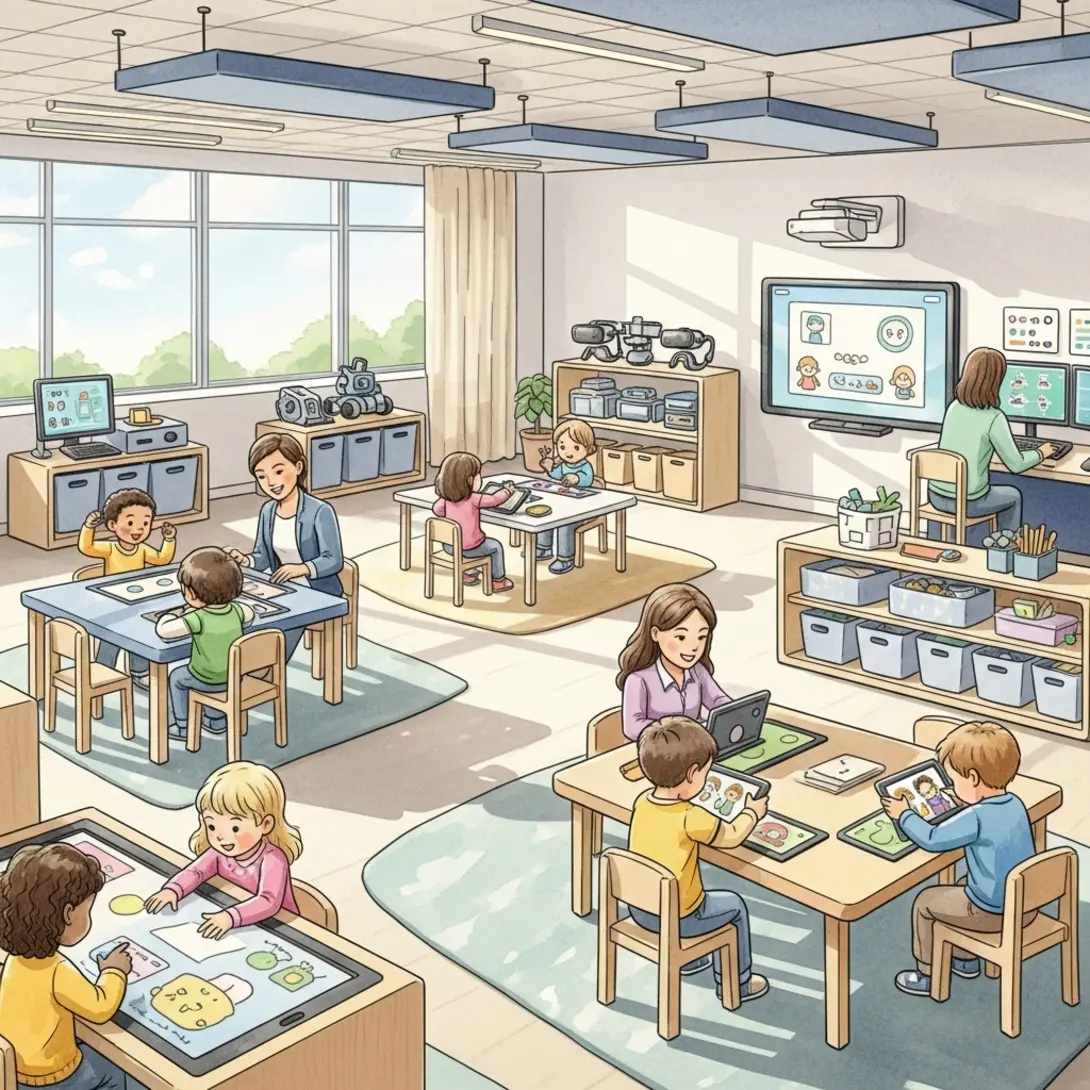
In today’s educational landscape, creating a smart classroom budgeting plan is crucial for preschools aiming to become tech-ready. A tech-ready preschool isn’t just about installing the latest gadgets; it’s about developing a robust preschool digital infrastructure, having the right preschool hardware setup, and formulating strategic budget planning to optimize resources effectively.
The transformation from a traditional learning environment to a tech-ready preschool can significantly enhance learning experiences and operational efficiency. By integrating tools such as a robust preschool management system, preschools can streamline operations and boost communication with families, educators, and students. However, without careful budgeting and planning, preschools risk overspending and failing to meet educational objectives.
The shift towards a tech-ready preschool environment also involves moving away from isolated digital add-ons to fully integrated tech ecosystems. This includes interactive displays, tablets, and sophisticated preschool management systems. A well-implemented digital ecosystem provides numerous benefits, from interactive learning approaches to enhanced family communication. Yet, integrating technology without a plan often leads to wasted resources and ineffective adoption. Many schools are adopting robust tech ecosystems, using expert guidelines for creating technology-ready classrooms to aid in their transition. By aligning these tools with strategic goals, schools can avoid the common pitfalls of unplanned technology adoption.
Read More: The Roadmap to Digitizing Your Preschool: Step-by-Step Guide
Assessing Infrastructure Requirements: Internet, Networks, Security
Developing a tech-ready preschool begins with assessing your current infrastructure and identifying areas for improvement.
Internet & Bandwidth
Reliable, high-speed internet is non-negotiable. Activities like HD video streaming and cloud-based applications require sufficient bandwidth. A small setup typically needs 50–100 Mbps, while larger preschools may need 100–300 Mbps. Conducting a site survey to identify Wi-Fi dead zones helps determine where additional access points may be required.
Local Network Design
Employing business-grade routers and segmenting networks for administration, instructional use, and guests helps maintain both security and efficiency.
Security & Data Protection
Robust network security is essential for protecting sensitive data and maintaining parental trust. Firewalls, encryption, strong password policies, and regular software updates or audits bolster security measures.
Technical Support Structure
Deciding between in-house IT staff or outsourced support depends on school size and resources. Reliable technical support ensures minimal downtime and swift troubleshooting. For additional guidance on robust infrastructure, explore Future Ready Schools’ robust infrastructure framework.
Read More: A Comprehensive Guide to Innovative Educational Tools for Parents & Educators
Choosing the Right Devices: Tablets, Smartboards, Projectors
Selecting hardware that aligns with preschool needs and budget constraints is key to building a successful digital ecosystem.
Interactive Displays & Smartboards
Interactive displays encourage active, hands-on learning. Factors to consider when choosing these devices include size, touch capabilities, and maintenance requirements. For schools with tighter budgets, projectors paired with interactive whiteboards can be more cost-effective initially—though recurring costs like bulb replacements warrant consideration. For engaging classroom experiences, consider innovative smart classroom solutions in India.
Student Devices – Tablets vs Laptops
Tablets often suit preschoolers better due to their touch interface and ease of use. Durable cases, screen protectors, long battery life, and mobile device management create a more manageable learning environment.
Audio & Supporting Equipment
Quality speakers and other peripherals—like microphones and document cameras—enhance multimedia learning. Ensuring compatibility with HDMI, USB-C, and other current standards reduces connectivity issues.
Read More: How Online Classroom Management Transforms Education with Digital Tools
Connectivity & Compatibility: Integration with Preschool Software
A cohesive preschool digital infrastructure prevents technology silos and optimizes resources.
Core Systems to Consider
A dedicated management tool simplifies operations and boosts communication. When selecting software, look for seamless integration with communication channels or learning platforms. Internal links such as these preschool management system insights and our comprehensive preschool software guide highlight important decision factors.
Cloud-Based vs On-Premise
Cloud-based solutions emphasize scalability, reduced on-site IT burdens, and remote accessibility. They also offer vendor-managed security benefits, making them favorable for preschools with limited IT support.
Integration & APIs
Systems that integrate well via APIs extend functionality and protect long-term tech investments.
Extending Access Beyond School
Collaborations with local libraries or community centers expand learning outside preschool walls, narrowing the digital divide an approach supported by Future Ready Schools.
Classroom Layout Considerations: Ergonomics, Wiring, Accessibility
Thoughtful classroom design maximizes the advantages of a tech-ready preschool.
Ergonomics for Young Children
Position devices at child-friendly heights. Flexible furniture arrangements accommodate various learning activities comfortably.
Wiring & Power Management
Ensure adequate power outlets, proper cable management, and surge protection to keep the environment safe and organized.
Flexible Learning Spaces
Mobile, multi-use spaces encourage dynamic learning experiences that can adapt to different activities and group sizes.
Read More: Top Features of Preschool Management Apps Every School Should Know
Budget Planning: Short vs Long-Term Investments, Cost Breakdown
A structured budget framework mitigates the risk of overspending and ensures sustainability.
Categorize Costs: Initial vs Recurring
Divide your budget into startup and ongoing expenses. Infrastructure and devices incur initial costs, while software subscriptions and maintenance represent recurring expenses.
Total Cost of Ownership (TCO)
Evaluate devices beyond purchase price, factoring in lifespan and maintenance requirements. For more on balancing cost and benefits, explore a specialized guide on preschool digitization costs.
Phased Implementation
Rolling out technology in phases reduces upfront costs and allows for teacher feedback and gradual training.
Prioritization Framework
Start with foundational infrastructure, then layer on high-impact teaching tools to maximize educational outcomes.
Vendor Evaluation: Selecting Reliable Suppliers, Warranties
Partnering with the right vendors shapes the success of your tech readiness journey.
Criteria for Selecting Vendors
Look for suppliers experienced in educational settings, offering comprehensive service packages and robust user support.
Warranty & Service
Warranties with quick turnaround times can reduce disruptions. Evaluate support provisions carefully when finalizing any contract.
Avoiding Lock-In & Ensuring Future-Proofing
Opt for systems that run on multiple platforms and protocols, preventing reliance on a single ecosystem.
Training & Implementation Support
Vendors that provide training resources and immediate help ensure technology is used to its fullest potential, as highlighted in our guide to building a digital-ready preschool team.
ROI Analysis: Educational Impact and Operational Efficiency
Measuring ROI goes beyond simple cost calculations, factoring in learning achievements and administrative improvements.
Educational ROI
Gauge improvements in student engagement and performance that result from interactive digital tools.
Operational Efficiency ROI
Automated administrative tasks via preschool software reduce the manual workload, channeling more energy toward education.
Cost Avoidance & Sustainability
Leveraging cloud solutions and minimizing paper usage lower environmental impact and expenses over time.
Continuous Evaluation
Regularly assess how technology is used, measuring outcomes and iterating on future planning. For extended strategies, check out our digital transformation guide.
Common Mistakes to Avoid: Underestimating Capacity, Ignoring Training
- Underestimating Infrastructure Needs: Always plan for meaningful internet bandwidth and scalability.
- Neglecting Teacher Training: Provide regular, hands-on training sessions to build confidence and skill.
- Overlooking Security & Privacy: Maintain strict policies on data protection to uphold trust.
- Buying Incompatible Systems: Confirm hardware-software compatibility before purchasing.
- Poor Physical Setup: Ensure child-friendly, hazard-free classroom layouts for optimal learning.
Conclusion: First Steps to Becoming Tech-Ready
Becoming a tech-ready preschool begins with a clear vision and thoughtful planning. Auditing existing technologies and piloting smart classroom setups can help you refine your approach, supported by a robust preschool management system for operational ease. Develop a multi-year budget, ensuring spending aligns with educational goals. Technology, when well-integrated, enriches early childhood education—placing smart classroom budgeting at the heart of that journey.
FAQ
Begin by assessing your current digital infrastructure. Identify bandwidth needs, security requirements, and areas that require updates or new hardware.
Use a phased approach. Start with critical infrastructure upgrades and essential tools, then expand as budget and feedback allow. Examining total cost of ownership also prevents unexpected expenses.
A robust management solution streamlines administrative tasks, boosts family and teacher communication, and centralizes essential data for easier decision-making.
Tablets generally offer easier navigation, child-friendly interfaces, and better durability for younger learners. However, your choice depends on educational goals and available technical support.
Ongoing professional development, hands-on training, and accessible support resources give teachers the confidence to integrate technology into daily activities effectively.
