
Estimated reading time: 9 minutes
Key Takeaways
- Preschool ERP software should manage the whole operation, not just the student record, which is only the anchor everything else hangs off.
- Fees and finance are where records-only tools leak money, so demand automatic fee allocation, UPI and card capture, and payment reconciliation.
- Staff and access need role-based governance so a resignation revokes access cleanly and know-how stays in the system, not one person’s head.
- Parent communication, admissions, compliance documents and inventory each belong on the same shared record instead of scattered apps and spreadsheets.
- The connective layer is the real payoff: shared data surfaces real-time KPIs on fees, attendance and occupancy so you decide the same day.
- Run the six-domain self-check; every “no” is a gap where you are paying for an ERP but getting only a database.
Most owners shopping for preschool ERP software picture the same thing first: a tidier student database. One place to hold profiles, attendance and class lists, with a login screen on the front. That picture is the anchor, not the job.
If the student record is all your system manages, you have bought a filing cabinet with a password. The parts of your week that actually cost you money still live in spreadsheets, receipt books and WhatsApp threads. A system earns the name preschool ERP system only when it manages the whole operation around the record, not just the record itself.
This post maps the domains a real ERP owns beyond the student profile, so you can see exactly where a records-only tool stops. Six operational domains, plus the connective layer that turns them into same-day decisions, plus a short self-check at the end.
This is the part most feature lists skip.
Your student record is the anchor, not the whole job
Let’s agree on the baseline first. The core student record holds child and family profiles, daily attendance, class and section allocation, promotions and transfers between levels like Playgroup, Nursery, Junior and Senior, and ID card generation. This is what almost every tool sold as preschool management software already does well.
That record is genuinely the foundation. Every other domain hangs off it, which is why it has to be clean and single-source. Get the child profile wrong and the fee, the report and the parent message all inherit the mistake. So the record matters. That half of the story is true.
So why do owners stop their expectations at the record? Because vendors demo it first. It is the easiest thing to show. A clean list of children looks like the product. It is necessary, and it is nowhere near sufficient.
The record tells you who the child is. It says nothing about whether the fee was collected, who is allowed to change it, whether the enquiry was ever followed up, or whether the craft supplies ran out this morning. A preschool management system worth buying has to answer those questions too. The rest of this post is those questions.
Read More: From Admissions to Administration: Building a Connected Preschool Operations System
Domain 1: fees and finance are where a records-only tool quietly leaks money
Picture a director on a Friday afternoon. She is matching bank credits to a receipt book, line by line. Three families slipped through and still owe last month. She is not sure the term’s collection is actually complete, and she will not be sure until she finishes counting by hand.
That is the money story, and it is where a records-only tool leaks. A real ERP has to manage automatic fee allocation per child and level, fee schedules and discounts, online payment capture by UPI and cards, auto-generated receipts, dues and arrears tracking, and reconciliation of payments against what was owed. This is the part where preschool ERP software becomes preschool business management software.
Start with payments. Parents already pay by UPI as the default. It is now the dominant transaction mode in India, with monthly volumes hitting record highs through 2026 according to IBEF figures. That is general context, not a preschool number. The point is the mechanism: an ERP that ingests UPI and card payments and auto-reconciles them against fee allocation removes the manual receipt-matching handoff entirely. No Friday afternoon.
Then there is the cost of scattered data. Fee records, receipts and dues that live in one governed system instead of re-keyed spreadsheets shrink the bad-data surface that drives reconciliation rework and revenue leakage. To be clear about scale, this is a general cross-industry figure and not a preschool result: Gartner estimates that poor data quality costs organizations an average of .9 million per year. You will not lose that. But it shows re-keyed data has a real, measurable price, and a preschool pays a smaller version of the same bill.
One more measure worth surfacing. Days Sales Outstanding, or DSO, is the average number of days you take to collect after a fee is due. It is a plain collection-efficiency number, and an ERP can show it for your dues in real time.
The test is simple. If your current tool stores the fee amount but you still reconcile payments by hand, it is managing the record, not the money. That gap is the first thing to close.
Domain 2: staff, HR and who is allowed to touch what
Your child records are only half your data. The other half is your people: staff profiles, staff attendance and leave, role assignments, and the process state and history that otherwise lives only in one administrator’s head. This is preschool administration software work that a records tool ignores completely.
Take permissions first. Role-based access control is a plain idea: permissions attach to roles, not to individual people. An administrator decides what each job is allowed to do, a branch head, an accounts clerk, a teacher, then assigns staff to those roles. When someone resigns, you revoke a role, not a tangle of individual permissions scattered across the system. This approach was formalized by Ferraiolo and Kuhn at NIST in 1992 and it is now standard practice. A real ERP governs access by function. A records tool gives everyone the same login and hopes for the best.
Now the harder risk. When staff records, fee history, parent context and process state sit in the shared system, know-how does not walk out the door with a departing administrator. This is real: a systematic review of 91 studies found that member turnover through resignations, retirements and downsizing induces organizational knowledge loss, and it maps what reduces it. Capturing that context in the ERP is one of those mitigations. No percentage promised. Just the mechanism.
And the smaller your team, the higher your key-person risk, not the lower. One person leaving can take half your operating memory with them. A big chain can absorb that. A single branch running on one administrator’s memory cannot.
Domain 3: parent communication belongs on the record, not in scattered threads
This domain covers messaging, media and photo sharing, event and holiday notices, and self-serve updates for parents. The question is not whether you communicate. You already do. The question is whether it runs off the same student record or across separate WhatsApp groups, broadcast lists and a standalone app.
The payoff here is consistency, and I am not going to pretend it is a time-saved percentage. It is qualitative, and it is real. Apps that cannot share data become information silos. Stitching them together with ad-hoc links grows into an unmaintainable mess. When communication runs off the single record, every family gets the same, current, single-source information. When it runs across scattered channels, families get fragmented and sometimes contradictory updates, and your staff repeat themselves all day.
One branch sends a fee reminder on WhatsApp. A paper circular lists a different due date. The parent now trusts neither, and calls the office to ask which is right. One record means one message and one version of the truth. That reliability is one reason an all-in-one preschool ERP beats a bag of single-purpose apps.
The honest limit: the win here is consistency, not a measurable engagement metric, and this post will not invent one.
Read More: Why Preschool Admissions Need More Than an Enquiry Management System
Domain 4: admissions and enquiry is a pipeline, not an inbox
Every family starts as an enquiry. This domain captures each one, tracks the family through stages like enquiry, tour, application, offer and enrollment, assigns follow-ups, and feeds the won enrollment straight into the same student record with no re-keying. Admissions is the front door of preschool operations management, not a separate marketing silo bolted on the side.
Follow-up speed matters, but let’s argue it honestly, by mechanism. A lead that sits in a shared inbox has no owner and no next-step date. So it goes cold. Nobody decided to lose it. It just drifted. A managed pipeline gives every enquiry an owner, a stage and a due follow-up, so nothing sits untouched while a parent quietly enrolls somewhere else.
There is a trap worth naming. A CRM bolt-on wrapped around an undefined process fails. Buying separate software does not fix a process you never wrote down. What makes admissions follow-up reliable is running enquiry-to-enrollment as a defined pipeline inside the ERP, feeding one record, not hoping a standalone tool will supply the discipline for you.
And the quiet payoff: when the family enrolls, their enquiry data becomes their student record automatically. No second data entry. No transcription error at the exact moment you are trying to make a good first impression.
Domain 5: compliance and documents need an audit trail, not a drawer
This domain is document control and traceability: admission documents, consent forms, medical and allergy notes, ID proofs, version and consent tracking, and a record of who changed what and when, especially for fees and child records.
Preschools carry real record-keeping, consent and documentation obligations. I am keeping this general on purpose, because the rules vary and this is not the place to get specific ones wrong. The point stands whatever the local requirement: an ERP makes meeting these obligations routine, rather than a scramble the week before an inspection.
Accuracy is where the mechanism bites. Forms captured once, structured and time-stamped in the system, carry fewer keying errors and a real change history, compared with paper re-typed into spreadsheets. The gap is large. In a 2012 study, single manual data entry produced about 0.370 errors per 1,000 fields, while automated structured-forms capture and double entry each produced about 0.046 errors per 1,000 fields, roughly an eightfold higher error rate for single manual keying. That is a general data-entry finding, not a preschool result, but the lesson transfers: re-typing is where errors enter. Good preschool administrative software captures the document once and keeps the history.
A records tool stores the current value. An ERP stores the current value and how it got there. When a parent disputes a fee change, or you need to prove consent was on file, the audit trail is the difference between a two-minute answer and an afternoon of digging.
Domain 6: inventory and daily operations break the day when no one tracks them
Some things never belong in a student record but still stop the day when they go wrong. Consumables and supplies like craft materials, snacks and cleaning stock. Assets like tablets, AR cards and furniture. Center or franchise administration across branches.
Picture the art activity planned for 10 am. No colored paper left. Nobody knew, because the “stock list” was a note in one teacher’s phone.
Tracking supplies and assets in the shared system, with reorder thresholds, removes a high-error, invisible layer. Parallel spreadsheets are not a safe place for anything the day depends on. Research reported in 2024 found that 94 percent of business spreadsheets contain errors. That is a general figure, not a preschool one, but it makes the point plainly: a spreadsheet nobody double-checks is where small mistakes hide until they cost you a morning.
For franchise operators, there is more. Center administration across branches, occupancy, resourcing, branch-level performance, is core preschool operations management. A single-school records tool simply cannot hold it.
The connective layer: why an integrated ERP beats six good modules
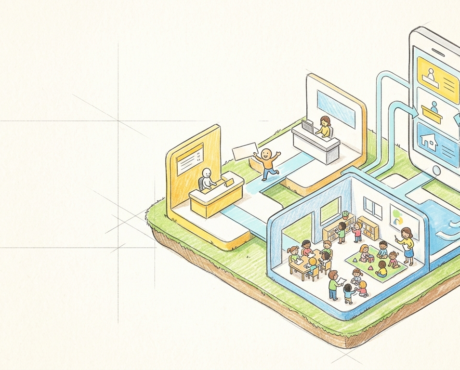
The real point of the whole map is not the six domains as separate features. It is that they share one record. That sharing is what makes an integrated preschool ERP different from a folder of good-but-separate apps.
Because fees, attendance, admissions, staffing and occupancy all sit on the same record, you see real-time KPIs, collection status, attendance, occupancy, enrollment pipeline, and you can act the same day. Not at month end, after someone stitches the numbers together from four disconnected tools. Firms that make decisions from connected data have been found to run more productively, a general finding from 2011, not a preschool figure, but the mechanism is exactly the same at your scale: connected data means faster, better decisions.
Remember the silos problem. Separate apps force point-to-point links that multiply and decay. One shared record removes the wiring problem entirely, because there is nothing to wire.
So the decision rule, once more: do not evaluate modules one by one. Ask whether they write to and read from the same record. Six best-in-class modules that do not share a record still leave you re-keying and reconciling. That is the trap.
Read More: Preschool ERP vs. Multiple Administrative Tools: What Changes When Operations Are Connected?
How to tell if your current ERP is really just a records tool
This is a scope self-check, not a buyer’s scorecard. The question is not “which product wins,” it is “does my system actually reach these domains.” Answer each one honestly. A “no” is a gap.
- Fees: do payments auto-reconcile against fee allocation, or do you still match receipts by hand?
- Staff and access: are permissions set by role, so a resignation revokes access cleanly?
- Communication: do parents get one source of truth, or do updates live in scattered threads?
- Admissions: does every enquiry have an owner and a next step, and does a win become a record with no re-keying?
- Compliance: can you show who changed a fee or a record, and when?
- Inventory and operations: are supplies and assets tracked in the system, or in someone’s phone?
Now count your “no” answers. Each one is a domain where you are paying for an ERP and getting a database. These are the preschool ERP features to demand before you buy or consolidate, not nice-to-haves you can add later.
Where BubbleBud Kids fits
The recommendation is plain. Scope your next system for the whole operation, not the record. The record is the anchor. The return is in the domains around it. An owner who buys for “records plus attendance” is buying about a fifth of the value and paying full price.
BubbleBud Kids is built as an all-in-one preschool ERP, so admissions, student records, fees and online payments, parent communication, center and franchise administration, and inventory all run off one shared record. That is the whole point of the design: enter data once, reuse it everywhere, and watch the operation instead of reconstructing it.
Whether a given system actually closes the gaps this post mapped is worth a real conversation, not a checkout page. If you want to walk through the six domains against what you run today, reach us at connect@bubblebudkids.com or ask for a demo from the team in Ahmedabad. Bring your self-check answers. The “no” list is the best place to start.
FAQ
Beyond profiles and attendance, it should manage six operational domains: fees and finance, staff and access, parent communication, admissions and enquiry, compliance documents, and inventory and daily operations, all running off one shared record.
No. A student database stores who the child is. A true preschool ERP system also manages fee collection, role-based access, communication, admissions, audit trails and supplies, so the whole operation runs off one record.
Separate apps become information silos that need fragile point-to-point links. When every domain writes to and reads from one shared record, you avoid re-keying and get real-time visibility across fees, occupancy and admissions.
Run a scope self-check. Ask if payments auto-reconcile, if access is set by role, if parents get one source of truth, if every enquiry has an owner, if fee changes are traceable, and if supplies are tracked. Each “no” is a gap.
The smaller the team, the higher the key-person risk, so prioritize role-based access, a shared record that captures process history, automatic fee reconciliation and inventory tracking so one departure cannot take your operating memory with it.
Related posts

- October 19, 2026
- 10:01 am
Preschool Management Software: What Should You Actually Look For Before Buying?
- September 30, 2026
- 10:48 am
What School Administrators Should Expect from the Next Generation of Preschool Management Software

- September 28, 2026
- 9:58 am
